Resolveroo

Switch DNS from the menu bar

Changing your DNS means digging several levels deep into System Settings, every time. Resolveroo puts your presets in the menu bar instead.

Download 1.0.1

macOS 14+ · Apple Silicon · 2 MB

Drag Resolveroo to your Applications folder before opening it. macOS runs apps from their download location in a temporary read-only copy, which stops them updating themselves.

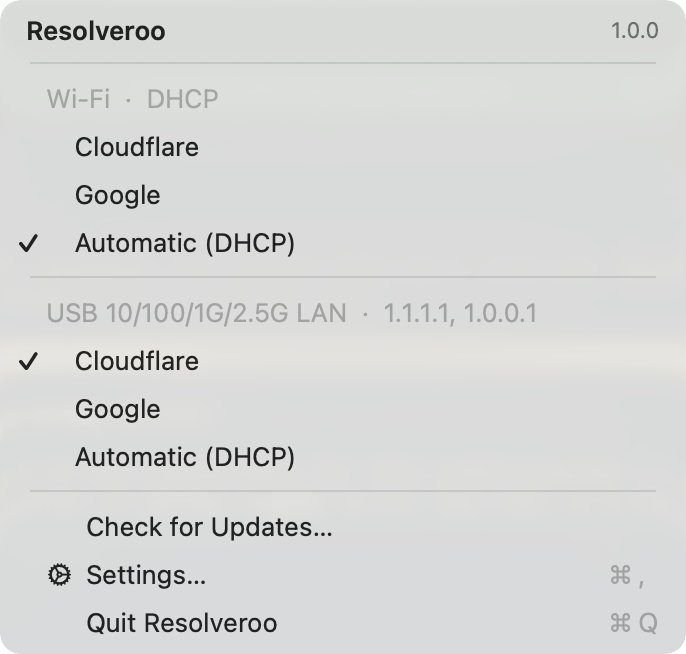
The Resolveroo menu, showing Wi-Fi set to Automatic (DHCP) and a wired connection set to Cloudflare

Presets you define

Name a set of servers once — 1.1.1.1, your router, 9.9.9.9, whatever you actually switch between — and reorder them however you like.

Per connection

Each interface (Wi‑Fi, Ethernet, etc.) keeps its own DNS. Resolveroo lists them separately and shows what each one resolves through right now.

One click, one touch

Pick a preset from the menu and authorize with Touch ID. A checkmark marks the active one, whether you set it with Resolveroo or by hand.

Requirements

macOS
14 Sonoma or later
Processor
Apple Silicon
Updates
Built in, signed, and verified before anything installs